Starlink hardwarePress reportsIndependent, not affiliated with SpaceX
Starlink announces Router 4 with Wi-Fi 7 and two Ethernet ports
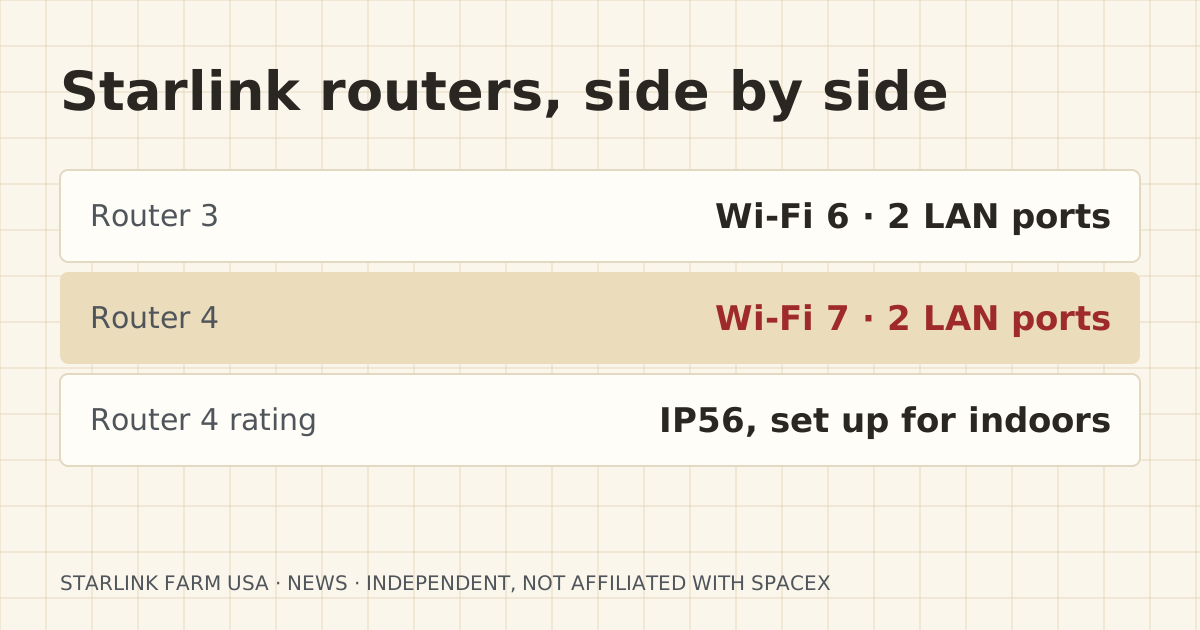
Starlink’s Router 4 adds Wi-Fi 7, keeps two Ethernet LAN ports and has an IP56 rating but is set up for indoor use. No price or date yet. What it means for barn links.
- Announced or first reported
- Effective
- Not yet available to order. Starlink says “available soon in select areas.”
- Published
- Last updated
What changed
Starlink posted on 2026-09-09 that “Router 4 is the first Starlink router with a Wi-Fi 7 chipset.” Drive Tesla Canada lists the specs. It covers up to 3,500 sq ft and up to 510 devices, with tri-band radios, MU-MIMO, OFDMA and WPA2/WPA3. It has two Ethernet LAN ports behind a water-resistant cover and an IP56 rating, though Starlink says it is “configured for indoor use.” It is rated for -30°C to 50°C.
No price or ship date has been given. Starlink says only that it will be “available soon in select areas.”
| Item | Before | After | Source date |
|---|---|---|---|
| Wi-Fi standard | Wi-Fi 6 (Router 3, Router Mini) | Wi-Fi 7, tri-band | 2026-09-09 |
| Coverage, as stated | Router 3: about 3,200 sq ft (DISHYtech) | Up to 3,500 sq ft, 510 devices | 2026-09-10 |
| Ethernet LAN ports | 2 on Router 3 | 2, behind a water-resistant cover | 2026-09-10 |
Who it affects
Starlink customers who use the Starlink router, not their own, as the main router at the house. If you run Starlink in bypass mode with your own router or mesh, the router in the box matters less.
What it means for your setup
For barn links, the ports are what count, and that part is good news. A wired run or a bridge to the barn starts at a LAN port on the house router. Router 4 keeps two, like Router 3, so you won’t need a separate adapter for a buried Cat6 run or a bridge pair.
Wi-Fi 7 doesn’t change the gap between buildings. Indoor Wi-Fi, even Wi-Fi 7, won’t cross a few hundred feet and a metal wall. Our mesh across buildings page explains why wireless mesh nodes fail there.
The IP56 rating doesn’t make it an outdoor router. Starlink says it is set up for indoor use, so don’t plan to hang it under the barn eave as an outdoor access point.
If you mount Starlink routers in an outbuilding today, the operating range is worth noting: Drive Tesla Canada lists Router 4 at -30°C to 50°C (-22°F to 122°F). An unheated barn in the northern plains can drop below that in a cold snap, and a tin-roofed shop can pass it in summer. Starlink hasn’t said how Router 4 behaves outside that range.
What to do now
- Nothing to do yet. It can’t be ordered.
- If you’re planning a barn link now, build it from the LAN port on your current router. The same cable or bridge will plug into Router 4 later.
- If you use Starlink mesh in the barn, remember Starlink routers mesh only with Starlink routers. That’s a Starlink rule, and Router 4 doesn’t change it as far as anyone has reported.
What stays the same
- Two LAN ports on the main Starlink router.
- Bypass mode for using your own router.
- CGNAT on standard plans, so cameras still need the methods in our CGNAT guide.
What we don’t know yet
- Price, ship date and which kits will include it.
- Whether it supports wired backhaul to a Router 4 in another building the way Router 3 does.
- Real range through barn walls. Nobody has tested it yet.
Sources
- Starlink Router 4 Unveiled With Wi-Fi 7 and Major Performance Upgrades, Drive Tesla Canada. Source date: 2026-09-10. Secondary. Retrieved 2026-10-06.
“Router 4 is the first Starlink router with a Wi-Fi 7 chipset, built for streaming, gaming, and everyday use.”
- Starlink Unveils Router 4 With Wi-Fi 7 and 3,500 Sq Ft Coverage, Tesla North. Source date: 2026-09-09. Secondary. Retrieved 2026-10-06.
Corrections
No corrections since publication. Spotted an error? Tell us.