Network & satellitesPrimary sourceBackgroundIndependent, not affiliated with SpaceX
Starlink explains how dishes switch satellites to route around trees and buildings
Starlink’s 2025-07-30 update explains how dishes map obstructions and switch satellites many times a minute. What it means for wooded farm and parcel sites.
- Announced or first reported
- Effective
- Published
- Last updated
What changed
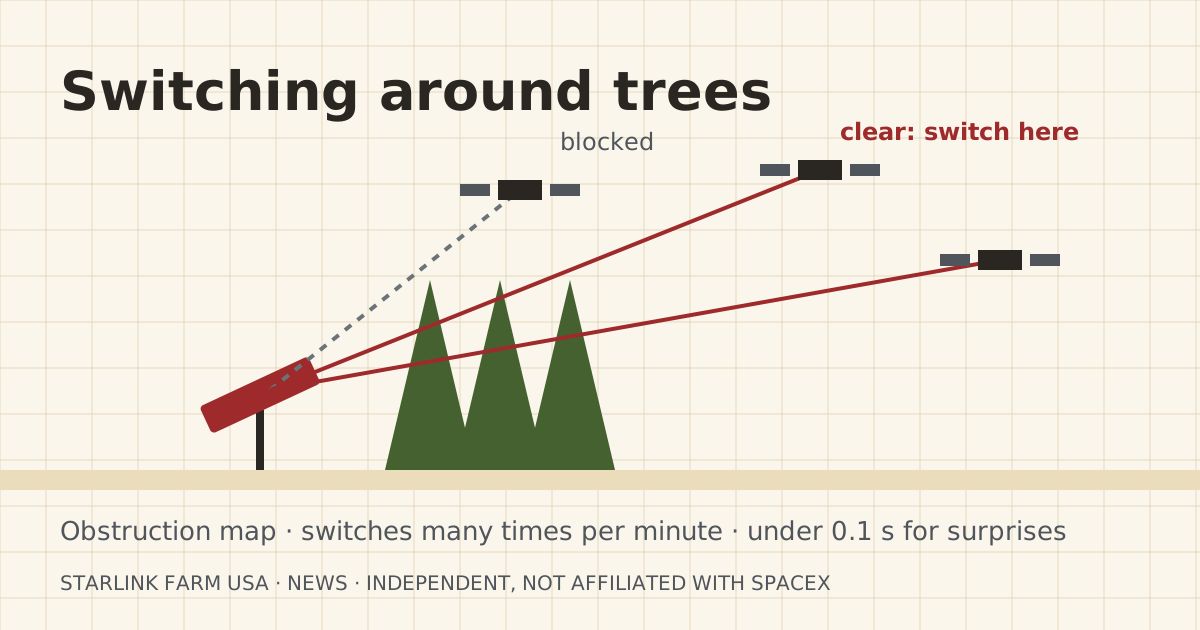
Starlink published “Starlink beam switching” on 2025-07-30. It says a US dish has “10s of satellites in view” and builds “a real-time obstruction map” as it works. Using that map, a fixed dish switches satellites ahead of time, “many times per minute.” For things it can’t predict, the switch happens in under a tenth of a second.
Starlink says it measures uptime 10 times a second and reports outages longer than a tenth of a second in the app. It says that for well-installed, even partly obstructed dishes, uptime is typically above 99.9%.
| Item | Before | After | Source date |
|---|---|---|---|
| What Starlink publishes on obstructions | App obstruction map | Explains proactive and reactive satellite switching | 2025-07-30 |
Who it affects
Farms and parcels with trees, silos, grain legs or hills near the dish spot, which is most of them. Also anyone using the app’s obstruction check while testing land before buying.
What it means for your setup
This explains why a partly blocked dish often works fine, and why a tree line in the wrong place still causes dropouts. Switching helps only if there are clear satellites to switch to. The fix for a bad spot is still height or a better location, not hoping.
For the land test, the free sky check in the Starlink app is the right first step. Starlink says the app has “a built-in tool to preview the install location.” Run it at the actual dish spot, not the driveway.
If the best sky is at the barn, not the house, mount the dish there and bring the internet to the house with a bridge or cable. The dish cable itself shouldn’t be spliced or extended beyond Starlink’s own cables.
Starlink’s post also says the app gives “a live obstruction map that shows exactly where signal blockages are occurring.” That is the tool to use after install. On a farm, obstructions change: trees leaf out, a new grain bin goes up, a hay stack sits in the line for a season. If your outage count jumps in May, check the map before you call support.
What to do now
- Open the app’s obstruction map and look where the blockage sits before deciding what to move or trim.
- After install, check the app’s outage history for a week before you start cutting trees or moving the dish.
What stays the same
- Dish cable rules: no splicing; use Starlink’s 15 m or 45 m cables.
- The land-test order: free sky check first.
What we don’t know yet
- How much switching helps under leaf-on summer trees compared with winter. Starlink’s post doesn’t say.
Sources
- Starlink beam switching, Starlink. Source date: 2025-07-30. Primary. Retrieved 2026-10-06.
“A given user terminal in the US has 10s of satellites in view”
- Starlink Beam Switching Upgrade Improves Reliability for Obstructed Dishes, DISHYtech. Source date: 2025-08-12. Secondary. Retrieved 2026-10-06.
Corrections
No corrections since publication. Spotted an error? Tell us.